
Introduction
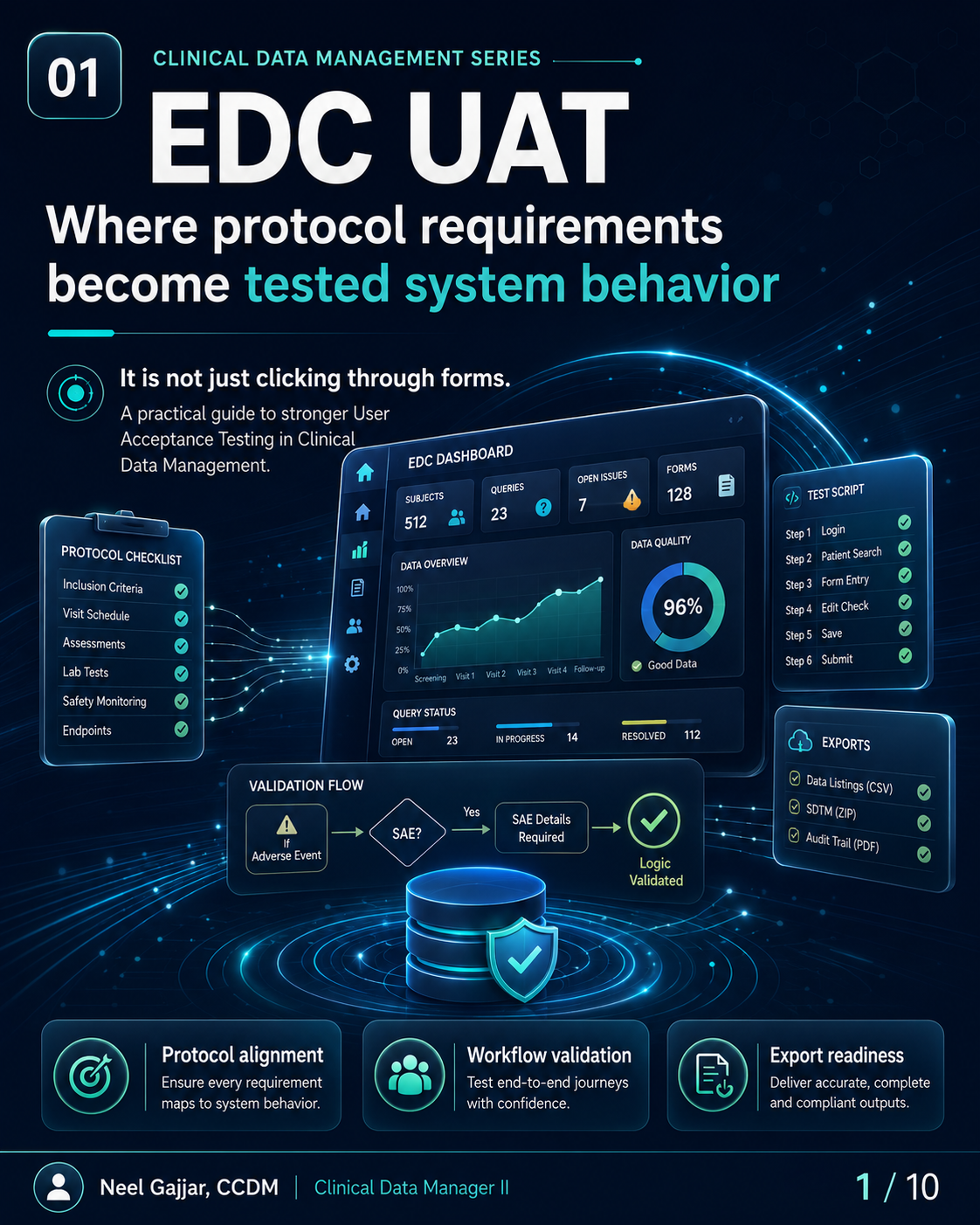
EDC UAT is not clicking through forms. User Acceptance Testing is the last structured opportunity to confirm that the EDC system built for a clinical trial actually behaves the way the protocol requires - before the first subject is enrolled.
For Clinical Data Managers, UAT is a data quality control activity. Defects found in UAT cost hours. Defects missed in UAT cost weeks of cleaning, rework, and database lock delays.
EDC UAT is a clinical data quality control - not just a technical checkbox.
Why EDC UAT Matters
UAT is a data quality control performed before the first subject is entered. Six reasons it is one of the most consequential CDM activities in study start-up:
- Protocol Alignment - Confirms the system reflects every visit, form, required field, assessment, and timing rule in the protocol
- Site Workflow - Ensures site users can follow the intended data entry process without generating errors or requiring excessive training
- Edit Check Quality - Edit checks must fire when expected and must not fire when they should not; both are UAT failures
- Role-Based Access - Users must see the right forms, take the right actions, and have the right permissions - no more, no less
- Export Readiness - Data listings, CSV extracts, SDTM-ready datasets, and audit trail exports must be accurate, complete, and usable before go-live
- Lock Prevention - Every defect found in UAT is a defect that does not require a query, a correction, or a lock delay to fix
Strong UAT reduces rework, protects data quality, and prevents downstream surprises.
What CDMs Should Verify During EDC UAT
Ten verification areas - a practical pre-go-live checklist:
- Correct forms at correct visits - Forms that appear at the wrong visit or are missing from a required visit are structural defects that cannot be resolved through data cleaning
- Required fields work as expected - Mandatory, optional, and required-if-specified fields all trigger correctly
- Skip logic triggers correctly - Conditional logic showing, hiding, enabling, and disabling fields based on prior entries behaves exactly as specified
- Edit checks fire correctly - For every edit check: fires when threshold is crossed, does not fire when data is valid, and query message is clear and actionable
- Date/time windows align with protocol requirements - Protocol visit windows and assessment timing windows are correctly configured
- Role-based access works correctly - Each role sees correct forms, actions, and data views; restricted content is not visible or accessible
- Query logic and system messages are clear - Auto-query messages are specific, actionable, and reference the correct field and protocol expectation
- ePRO/eCOA or external data workflows are supported - End-to-end workflow tested: data received, displayed, and reconcilable
- Data exports contain expected fields, formats, labels, and values - Run export jobs and confirm all expected datasets, fields, labels, formats, and values are present and correct
- UAT documentation is complete - Under 21 CFR Part 11, EDC systems must maintain a complete, accurate audit trail of all data entries, modifications, and deletions. UAT must verify the audit trail is complete and tamper-evident. UAT sign-off must be performed by the CDM lead and, where required, countersigned by the system owner or quality representative - informal sign-off is not sufficient for GCP inspection readiness
Test the workflow. Verify the logic. Prove the outputs.
Weak UAT vs Strong UAT
The difference is not data entry. The difference is validation depth.
| Dimension | Weak UAT | Strong UAT |
|---|---|---|
| What it tests | Whether forms open | Protocol-driven system behavior |
| Coverage | Happy-path entry only | Logic, workflows, roles, and outputs |
| Evidence | None or informal notes | Test scripts, defect log, retesting, approval |
| Downstream risk | Creates surprises after go-live | Reduces later cleaning delays and risk |
A weak UAT asks: Can I enter data?
A strong UAT asks: Does the system collect the right data, at the right visit, for the right subject, with the right logic, and produce the right downstream output?
Positive Testing and Negative Testing
Strong UAT tests both what should happen and what should not happen.
Positive Testing - Validate expected behavior: expected workflow, valid data entry accepted, correct visit path, expected edit check behavior, normal user journey completion.
Negative Testing - Validate system resilience:
- Invalid values (numbers outside range, text in numeric fields)
- Missing required data (submitting without mandatory fields)
- Out-of-window dates (should trigger edit check)
- Incorrect sequence or logic (events out of order, logic contradictions)
- Unauthorized or blocked actions (actions not available to a given role)
Negative testing is not optional - it confirms system resilience. A system that handles valid data correctly but accepts invalid data is not a validated system. Negative testing must be scripted and documented with the same rigour as positive testing.
Role-Based Testing and Workflow Validation
Real workflows must be tested through the lens of real users.
| Role | What UAT Should Verify |
|---|---|
| Site User | Correct forms for their site; can enter and submit data; cannot access other sites' data or CDM-level views |
| CRA / Monitor | Can review data and query responses; cannot modify source data; access to monitoring-level views |
| Data Manager | Can raise queries, review listings, access all data views; correct edit access without subject-level clinical overrides |
| Medical Reviewer | Can review and approve data; sees review-required outputs; permissions scoped to review functions |
| Sponsor / Admin | Study-level oversight views; correct administrative functions; no unintended access to blinded data if applicable |
Role testing confirms the system supports real operational use - not just generic access. A role misconfiguration that passes UAT becomes a blinding breach or data integrity issue in production.
Export Testing and Downstream Readiness
UAT should confirm what leaves the system - not only what appears on screen.
Five UAT checkpoints for export testing:
- Correct datasets - All required datasets present (subject data, AEs, lab data, etc.)
- Expected fields and labels - Field names, variable labels, and headers match specifications
- Accurate values and formats - Dates formatted correctly, units correct, coded values mapped as expected
- Listings and extracts are usable - Outputs can be reviewed, filtered, and analysed without manual transformation
- Outputs support downstream use - Data listings, CSV extracts, SDTM-ready datasets, and audit trail exports complete and compliant
Validate what leaves. Enable what follows.
Defect Management and UAT Evidence
Execution without documentation does not create validation confidence.
| Step | Description |
|---|---|
| Test Script | Test plan defined before execution begins |
| Execution | Script executed as planned, outcomes recorded |
| Defect Logged | Defects captured with details, severity, and impact |
| Fix Applied | Fix implemented and documented |
| Retesting | Fix is retested; original test case repeated |
| Pass/Fail Status | Outcome recorded with test result |
| Approval Evidence | Final approval traceable, dated, and archived |
UAT must use synthetic or anonymised test data - not real participant data. Using real participant personal data in a non-production test environment violates GDPR Article 5 (data minimisation and purpose limitation) and is one of the most frequently cited GDPR violations in clinical trial audits. If anonymised test data is not available, generate synthetic data that simulates expected data patterns without identifying real subjects.
If UAT was not documented, it cannot fully support validation confidence.
What Happens When UAT Is Rushed?
Most downstream build surprises should have been caught during UAT. Eight consequences:
- Missing forms - Critical data not captured, leading to protocol deviations
- Wrong visit logic - Incorrect sequencing causes data integrity and analysis issues
- Incorrect edit checks - Invalid data slips through, creating cleaning rework; false-firing checks generate unnecessary queries
- Confusing site workflows - Sites make more errors, raise more queries, require more training
- Incomplete exports - Missing datasets delay submissions and regulatory reporting
- Access issues - Users locked out or misconfigured, halting study activities
- Data cleaning delays - More errors in live data entry mean more queries, cycles, and cost
- Database lock risk - Unresolved system issues increase the risk of late lock and post-lock corrections
Rushed UAT increases rework, confusion, and risk across the study lifecycle.
Final Takeaway
- Test real scenarios - Simulate the actual study: visit schedule, subject population, data entry workflow, edge cases
- Verify logic - Validate rules, calculations, conditional logic, and workflow sequences
- Check outputs - Confirm exports, listings, and downstream datasets are accurate, complete, and usable
- Document evidence - Test scripts, defect logs, retest outcomes, and approval records must be archived
Better UAT means fewer database surprises later.
This content is AI-assisted and expert-reviewed. All UAT principles are aligned with ICH GCP E6(R2), GAMP 5 (Computer System Validation), 21 CFR Part 11 (Electronic Records and Electronic Signatures), GDPR Article 5, and clinical data management best practices. Content is intended for clinical research professionals for educational and professional development purposes.
About the Author
Neel Gajjar
CCDM®Clinical Data Manager II
Clinical Data Manager specialising in EDC systems, CDISC standards, and GCP-compliant data governance. Creator of the Clinical Research Learning Hub — a platform built to make rigorous clinical research education accessible to every professional in the field.
Connect on LinkedInAll content is expert-written and SME-reviewed. Regulatory references are verified against current ICH GCP E6(R2), FDA, and EMA guidance.
Comments
Leave a comment